
ASUS Computers

Xiaomi Robot Vacuum RV Brush cover for H50 Pro / H50 / S40 Pro

Asus D700mc-i341B0X ExpertCenter D7 Core i3-10105 3.7Ghz Quad core 4 cores/ 8 threads 1Tb Mini Tower PC with Windows 11 Pro

Asus Pro D500SA SFF PC, i3-10105 3.7GHz, 4GB RAM, 1TB HDD, Intel HD Graphics, Win 11 Pro

Asus ROG Xbox Ally 7" Handheld Gaming Console with Z2 CPU, 16GB RAM, 512GB SSD, Win 11 Home
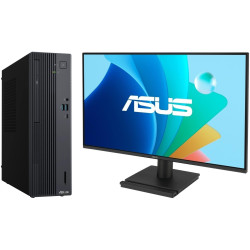
Asus ExpertCenter P500SV SFF PC, Core 5 210H 4.8GHz, 8GB RAM, 512GB SSD, Win 11 Pro, VA249HG Asus Monitor
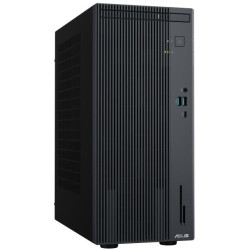
Asus ExpertCenter P500MV MT, i7-13620H 4.9GHz, 8GB RAM, 512GB SSD, Win 11 Pro

Asus D700MC ExpertCentre D7 Mini PC, i7-10700 2.9GHz, 8GB RAM, 1TB HDD, Intel HD Graphics, Win 11 Pro
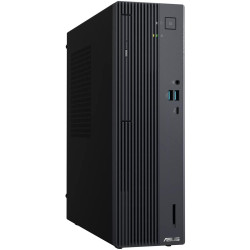
Asus ExpertCenter P500SV SFF PC, Core 5 210H 4.8GHz, 8GB RAM, 512GB SSD, Win 11 Pro
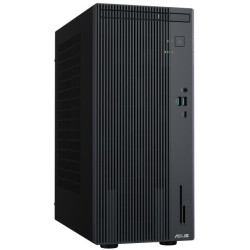
Asus ExpertCenter P500MV MT, i7-13620H 4.9GHz, 8GB RAM, 512GB SSD, Win 11 Pro

Asus ExpertCenter P500SV SFF PC, Core 5 210H 4.8GHz, 8GB RAM, 512GB SSD, Win 11 Home
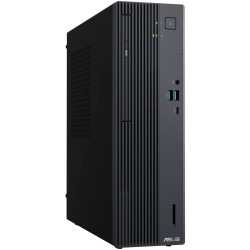
Asus ExpertCenter P500SV SFF PC, Core 5 210H 4.8GHz, 8GB RAM, 512GB SSD, Win 11 Pro

Asus ExpertCenter P500SV SFF PC, Core 7 240H 5.2GHz, 16GB RAM, 512GB SSD, Win 11 Pro, VA249HG Asus Monitor
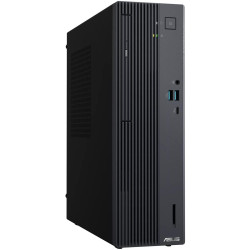
Asus ExpertCenter P500SV SFF PC, Core 5 210H 4.8GHz, 8GB RAM, 512GB SSD, Win 11 Pro

Asus ExpertCenter P500SV SFF PC, Core 7 240H 5.2GHz, 16GB RAM, 512GB SSD, Win 11 Pro
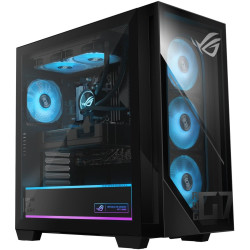
Asus ROG G700 Intel Ultra 5 255F Gaming PC, 16GB ram, 1TB SSD, Win 11 Home

Asus ROG Xbox Ally X 7" Handheld Gaming Console with AMD Ryzen AI Z2 CPU, 256GB RAM, 1TB SSD, Win 11 Home
ASUS Computers in South Africa
ASUS computers offer a wide range of desktop solutions for home, business, education and professional computing. South African buyers can choose from traditional desktop PCs, compact mini PCs, all-in-one computers and business-focused ASUS ExpertCenter systems, with configurations available for everyday productivity through to more demanding workloads.
When comparing ASUS computers for sale, consider the processor, RAM, SSD storage, graphics capabilities, operating system, connectivity, physical size and upgrade options. The best ASUS PC will depend on how the computer will be used and the performance required.
About ASUS
ASUS, also known as ASUSTeK Computer Inc., is a Taiwanese technology company whose history began in 1989. The company became widely known for computer motherboards and subsequently expanded its technology portfolio to include complete personal computers, graphics hardware, displays, networking products and other computing solutions.
ASUS now produces computers for a broad range of users, including home and office users, businesses, educational environments, professional users and customers requiring compact computing solutions.
ASUS Desktop Computers
ASUS desktop computers combine the main computer components into a dedicated desktop chassis. Depending on the model, an ASUS desktop PC may provide additional internal space for memory, storage and other expansion compared with compact or all-in-one computer designs.
Desktop PCs are suitable for a wide variety of applications including office productivity, accounting, web applications, education, multimedia, content creation and professional software. Buyers should compare individual specifications because processor, memory, storage, graphics and expansion capabilities vary between models.
ASUS ExpertCenter Business Computers
ASUS ExpertCenter computers are designed primarily for business and professional environments. The ExpertCenter range can include desktop towers, compact computers and all-in-one PCs, allowing organisations to select a form factor suited to available workspace and performance requirements.
Business computer requirements can differ considerably from those of a typical home PC. Important considerations can include reliability, security features, Windows edition, connectivity, multiple-display support, serviceability and future expansion.
ASUS All-in-One Computers
An ASUS all-in-one computer, commonly abbreviated as an ASUS AiO PC, combines the computer hardware and display within a single main unit. This reduces the number of separate components on a desk and can provide a neat, space-efficient workstation.
ASUS all-in-one PCs can be particularly useful for reception areas, offices, home workspaces, education and other environments where desk space and cable management are important.
Because the computer components are integrated into the display housing, upgrade options can be more limited than with a conventional desktop tower. Check RAM, SSD capacity, ports, display specifications and other features before purchasing.
ASUS Mini PCs and Compact Computers
ASUS mini PCs provide desktop computing in a significantly smaller enclosure. Their compact size makes them useful where workspace is limited or where a full-size desktop tower is unnecessary.
Depending on the specification, ASUS mini PCs can be used for office productivity, point-of-sale applications, digital signage, home computing, education, media applications and other compact workstation requirements.
When choosing a mini PC, check the installed processor, RAM, storage, video outputs, USB connectivity, networking and whether memory or storage can be upgraded. Compact designs may provide fewer internal expansion options than larger desktop systems.
ASUS Computers for Home Use
An ASUS home computer can be used for everyday applications including web browsing, email, online banking, video streaming, schoolwork, document creation, spreadsheets, video calls and general multimedia.
For everyday use, a balanced combination of processor performance, sufficient RAM and SSD storage generally provides a responsive computing experience. The exact specification required will depend on the applications and number of programs being used simultaneously.
ASUS Computers for Business and Office Use
ASUS business computers can support common workplace applications including Microsoft Office, accounting software, cloud-based services, email, web applications, video conferencing and business management systems.
Businesses purchasing desktop computers should consider performance as well as connectivity, warranty, security, operating system edition and possible future upgrades. Compact computers and all-in-one systems can also help reduce desk space requirements in offices where multiple workstations are installed.
ASUS Computers for Professional and Demanding Applications
More demanding workloads can require higher-performance processors, additional RAM, faster SSD storage or dedicated graphics hardware. Applications such as CAD, engineering software, design, development, data processing, video production and other specialised workloads may require significantly different hardware from an everyday office computer.
Always compare the recommended hardware requirements of the software you intend to use with the specifications of the ASUS computer before ordering.
Important ASUS Computer Specifications to Compare
Processor - CPU
The processor or CPU is one of the main components determining computer performance. Processor requirements vary according to workload, with basic productivity applications generally requiring less processing power than professional, creative or computationally demanding software.
Memory - RAM
RAM provides temporary working memory for the operating system and applications. Additional RAM can improve multitasking and can be important when working with large documents, many browser tabs or memory-intensive software.
SSD Storage
Solid State Drive storage provides fast access to Windows, applications and files. SSD capacity determines how much software and data can be stored locally, while SSD performance contributes to faster system startup and application loading.
Graphics
Some ASUS computers use integrated graphics while others may include dedicated graphics hardware. Integrated graphics can be suitable for everyday business, home and multimedia applications, while certain professional, creative or graphics-intensive programs can benefit from a dedicated GPU.
Connectivity and Ports
Check the available USB ports, display outputs, network connections, audio connections, Wi-Fi and Bluetooth support where required. Connectivity differs between ASUS computer models and can be particularly important when connecting multiple monitors, external storage, printers and other peripherals.
Operating System
ASUS computers may be supplied with different operating-system editions depending on the individual model. Home and professional editions of Windows can provide different management, networking and security features, so the exact operating system should be confirmed in the product specifications.
Choosing Between an ASUS Desktop, Mini PC and All-in-One
A traditional ASUS desktop computer is a good option where expansion and serviceability are important. A mini PC can be more appropriate where space is limited, while an all-in-one computer combines the display and computer into a cleaner single-unit workstation.
- ASUS desktop PC: Suitable when performance, expansion and conventional desktop flexibility are important.
- ASUS mini PC: Suitable for compact workspaces and applications requiring a small computer footprint.
- ASUS all-in-one PC: Suitable where an integrated display and reduced cable clutter are priorities.
- ASUS ExpertCenter: Designed for business and professional computing requirements across several form factors.
What to Check Before Buying an ASUS Computer
Before purchasing an ASUS PC in South Africa, compare the complete specification rather than relying only on the processor or model family. Similar-looking computers can have substantially different hardware configurations.
- Check the processor model and generation.
- Confirm how much RAM is installed and whether it can be upgraded.
- Compare SSD capacity and additional storage options.
- Check whether graphics are integrated or dedicated.
- Confirm the number and type of USB and display ports.
- Check Wi-Fi, Bluetooth and wired network connectivity where required.
- Confirm the Windows edition or operating system supplied.
- Check whether a keyboard, mouse, monitor or other peripherals are included.
- Review the warranty applicable to the specific ASUS computer.
ASUS Warranty and Support in South Africa
ASUS maintains an official presence in South Africa and provides support for its computing products. Warranty coverage and support conditions can vary according to the individual product and sales channel, so buyers should check the warranty information supplied with the specific ASUS computer before ordering.
For businesses and organisations, access to local support and service can be an important consideration when selecting computers for multiple users or critical work environments.
Why Consider an ASUS Computer?
ASUS provides desktop computers in several different form factors, making it possible to choose a computer according to performance requirements, available workspace and intended application rather than being limited to a single desktop design.
- Desktop, mini PC and all-in-one computer options.
- Business-focused ExpertCenter computer ranges.
- Configurations suitable for home, office and professional use.
- Compact computer options for space-conscious installations.
- Different processor, memory, storage and connectivity configurations.
- Official ASUS presence and support in South Africa.
Frequently Asked Questions About ASUS Computers
What is an ASUS computer?
An ASUS computer is a personal computer manufactured or marketed by ASUS. ASUS computer ranges include desktop PCs, business computers, mini PCs, all-in-one systems and other computing platforms.
What is ASUS ExpertCenter?
ASUS ExpertCenter is a range of computers aimed primarily at business and professional users. Depending on the model range, ExpertCenter systems can be available as tower desktops, compact PCs or all-in-one computers.
What is an ASUS AiO computer?
AiO means All-in-One. An ASUS all-in-one computer integrates the main PC hardware into the same main enclosure as the display, reducing the need for a separate desktop tower.
What is an ASUS mini PC?
An ASUS mini PC is a compact desktop computer designed to provide PC functionality in a smaller enclosure. Mini PCs can be useful in homes, offices, education, signage and other installations where space is limited.
Are ASUS computers suitable for business use?
Yes. ASUS offers computers specifically intended for business and professional environments, including the ExpertCenter range. The appropriate system depends on the software, security, connectivity and performance requirements of the business.
Can ASUS desktop computers be upgraded?
Upgrade options depend on the individual model. Tower desktops generally provide more expansion flexibility than all-in-one and very compact systems. Check available RAM slots, storage interfaces, expansion slots, chassis space and power requirements before planning upgrades.
Are ASUS all-in-one computers upgradeable?
Some all-in-one computers allow selected memory or storage upgrades, but their integrated design generally provides fewer upgrade options than conventional desktop towers. Upgrade support should be checked for the exact model.
Which ASUS computer should I buy?
Select an ASUS computer according to the applications you intend to run, required processor performance, RAM, storage, graphics, connectivity, available desk space and budget. Comparing the individual product specifications is more useful than choosing solely according to model family.
Buy ASUS Computers in South Africa
Browse ASUS computers for sale in South Africa and compare desktop PCs, ExpertCenter business computers, mini PCs and all-in-one systems according to processor, RAM, SSD storage, graphics, operating system and connectivity. Choosing a computer according to your actual workload and required features can help you find an ASUS PC suited to your home, office, business or professional computing requirements.