
J5 Create JCC111 USB Type-C to VGA Cable
- Brand: j5 create
- Product Code: SC-JCC111 [#23]
- sku: SC-JCC111
- Reward Points: 2
- Availability: In Stock ✓ Ready to ship!
- Qty available: 15
R468.81 inc. VAT
- Ex VAT: R407.66
- Price in reward points: 469
The specifications below may differ from the model's specifications. Please view the above short specification block to verify which features apply in this model. E&OE.
About this product
The j5create JCC111 USB Type-C to VGA cable provides a direct connection from a USB Type-C equipped desktop, notebook, MacBook or compatible laptop to a VGA monitor, projector or other VGA display. Supporting VGA resolutions up to 1920 x 1200 at 60 Hz through DisplayPort Alternate Mode, this plug-and-play cable requires no additional software and provides a convenient way to connect modern USB Type-C devices to existing VGA displays. Buy now from our website for a practical display connectivity solution.
Overview Summary
j5create JCC111 USB Type-C to VGA Cable is a direct male-to-male display cable designed to connect a USB Type-C source device to a VGA-equipped monitor, projector or other display. It uses DisplayPort Alternate Mode over USB Type-C to transmit video and supports resolutions up to 1920 x 1200 at 60 Hz, including Full HD 1920 x 1080 output.
The cable is designed for straightforward plug-and-play use without additional software or drivers. It is suitable for compatible desktop computers, notebooks, laptops, tablets and MacBook systems with a USB Type-C port that supports DisplayPort Alternate Mode.
With a 185 cm cable length and compact housing, the JCC111 provides a practical solution for connecting newer USB Type-C devices to established VGA display equipment without requiring a separate VGA cable.
Performance tier: Standard high-definition display connectivity
Uses: VGA monitor connection, projector connection, external display connection, desktop display extension, notebook display connection, MacBook display connection
Overview
Our USB Type-C(TM) display adapters and cables allow you to quickly and easily connect your MacBook(TM), tablet, PC and laptop computers with a USB-C(TM) port to an external monitor, HDTV, projector or other display device using a VGA input. The JCC111 enables you to output high-definition VGA (1080p) video through a USB-C(TM) port.
The JCC111 cable offers a cost-effective USB-C(TM) DisplayPort (DP) to VGA (1080p) connection, letting you connect a VGA (1080p) computer monitor to a USB-C(TM) DisplayPort Mode - equipped desktop or laptop computer, saving the expense of upgrading the monitor for compatibility.
Description
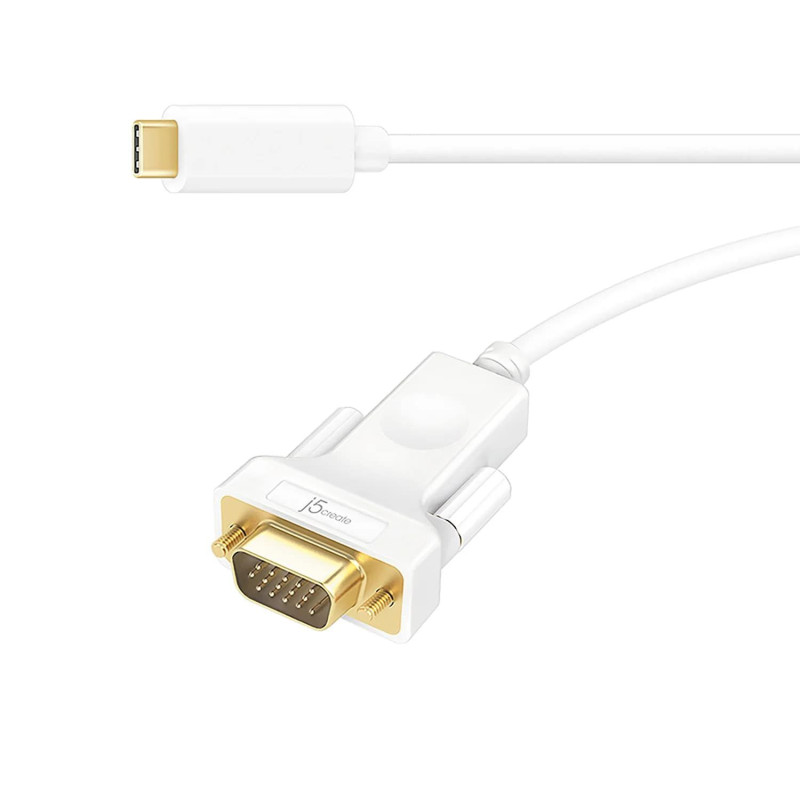
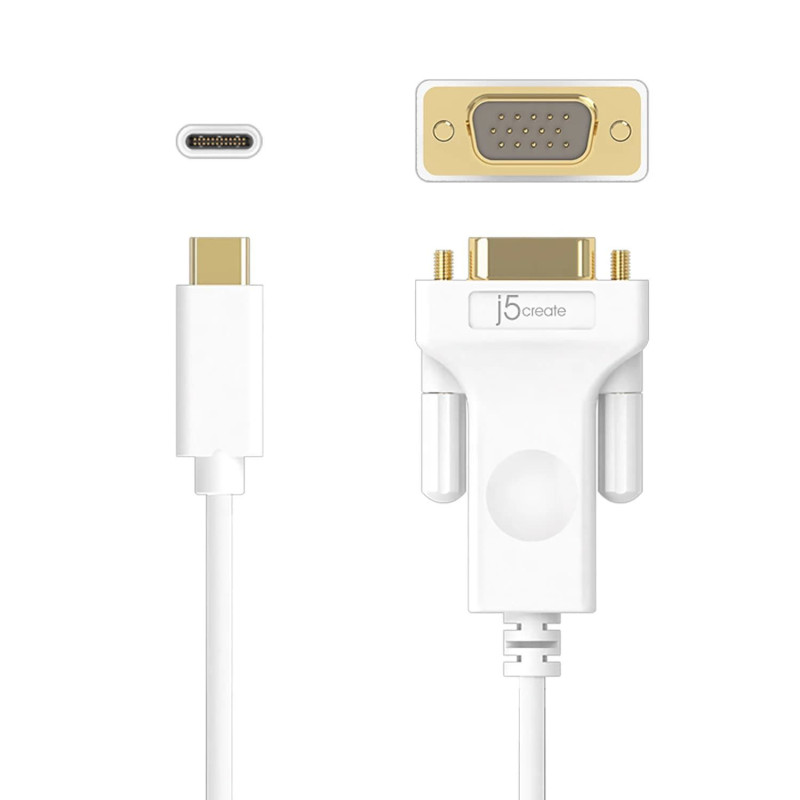
The j5create JCC111 is a USB Type-C to VGA display cable designed to connect a compatible USB Type-C source directly to a VGA display. The cable has a USB Type-C male connector on one end and a VGA male connector on the other, allowing it to connect directly to a VGA monitor, projector or compatible display without requiring a separate VGA cable.
The JCC111 uses DisplayPort Alternate Mode over USB Type-C for video output. It supports VGA resolutions up to 1920 x 1200 at 60 Hz, providing support for Full HD 1920 x 1080 displays as well as the higher 1920 x 1200 WUXGA resolution supported by the cable.
Its plug-and-play design does not require additional software or drivers. The USB Type-C source device must support DisplayPort Alternate Mode for video output. This makes the cable suitable for compatible modern laptops, notebooks, desktop computers, tablets and MacBook systems that need to connect to VGA-based display equipment.
The cable measures 185 cm in length, providing useful reach between a computer and external display. The main body measures 33 x 47 x 14.7 mm and has a compact construction suited to everyday desktop and mobile computing setups.
Features
The JCC111 provides a simple way to connect compatible USB Type-C devices to VGA display equipment while retaining support for high-definition video output.
- USB Type-C male to VGA male direct display connection
- Supports VGA resolutions up to 1920 x 1200 at 60 Hz
- Supports Full HD 1920 x 1080 output
- Uses DisplayPort Alternate Mode over USB Type-C
- Plug-and-play operation with no additional software required
- Suitable for compatible desktops, notebooks, laptops, tablets and MacBook systems
- Connects directly to VGA-equipped monitors and projectors
- 185 cm cable length
- Compact main body measuring 33 x 47 x 14.7 mm
What's in the Box
- j5create JCC111 USB Type-C to VGA Cable
Specifications
| Interface | |
| Host Interface | USB Type-C Male Connector |
| Video Interface | VGA Male Connector |
| Performance | |
| Maximum Resolution | 1920 x 1200 at 60 Hz max |
| Physical Specifications | |
| Housing Material | Molding |
| Dimensions | Main body: |
| 1.3 (W) x 1.9 (H) x 0.6 (D) in | |
| 33 (W) x 47 (H) x 14.7 (D) mm | |
| Cable length: 6.07 ft/185 cm | |
| Weight | Approximately 0.18 lbs (82.5 g) |
FAQ
What is the j5create JCC111 used for?
The JCC111 connects a compatible USB Type-C computer or other source device directly to a VGA monitor, projector or other VGA display.
What resolution does the JCC111 support?
The JCC111 supports VGA resolutions up to 1920 x 1200 at 60 Hz. It also supports Full HD 1920 x 1080 output.
Does the JCC111 require software or drivers?
No additional software is required. The cable is designed for plug-and-play operation when connected to a USB Type-C port that supports DisplayPort Alternate Mode.
Will the JCC111 work with any USB Type-C port?
The source device must have a USB Type-C port that supports DisplayPort Alternate Mode for video output. A USB Type-C port without display output support will not provide video through this cable.
Can the JCC111 connect directly to a VGA monitor?
Yes. The cable has a USB Type-C male connector and a VGA male connector, allowing it to connect directly between a compatible USB Type-C source and a VGA display without a separate VGA cable.
Is the JCC111 suitable for a MacBook?
It is suitable for MacBook systems with a compatible USB Type-C port that supports DisplayPort Alternate Mode.
How long is the JCC111 cable?
The cable length is 185 cm, providing practical reach for connecting a computer or notebook to an external VGA display.