
KVM switches & cables
Refine Search

Unbranded KVM PS2 Switch Cable 1.8m

Eusso 3-In-1 Ps/2 Kvm 1.8M Thin Cable

Unbranded USB KVM Cable - VGA + Usb (A to B)

D-Link DKVM-CU 1.8m USB & VGA KVM Cable

NetiX / UniQue KVM Cable USB+PS/2 3m

Microworld DP-V04 VGA Splitter 1 Input 15pin VGA Female to 4 Output 15 pin VGA Female

UniQue 2 Port VGA KVM Manual USB Switch

Aten 1.8M USB KVM Cable with 3 in 1 SPHD

D-Link DKVM-CU 1.8m USB & VGA KVM Cable
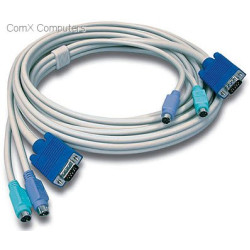
Trendnet TK-C10 3.1m Ps2 Kvm Cable

Unbranded VGA Splitter 1 in and 8 Out

Microworld USB 2.0 auto sharing Switch for printers
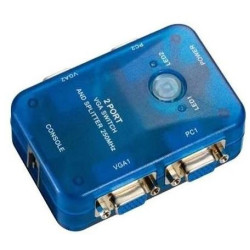
MT-Viki MT-202S 2 IN 2 OUT VGA Switch and Splitter

Aten KVM cable for CS1716 / CS1316 KVM - 3 meter cable - USB

Manhattan VGA Monitor Splitter For 2 Monitor

MT-Viki MT-460KL 4 Port manual VGA USB KVM Switch

Unbranded 8 Way Serial Port Splitter

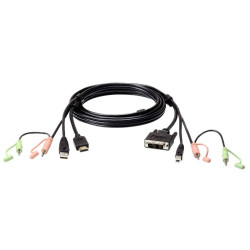
Aten 2L-7D02DH 1.8M USB HDMI to DVI-D KVM Cable with Audio

Unbranded KVM 4 port Switch Auto Including 2x Cables PS2
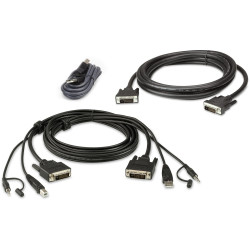
Aten 1.8m USB DVI-D Dual Link Dual Display secure KVM cable kit
KVM Switches & Cables
KVM (Keyboard, Video and Mouse) switches allow users to control multiple computers using a single keyboard, monitor and mouse. They provide an efficient solution for managing desktop computers, workstations, servers and industrial systems while reducing desk clutter and eliminating the need for duplicate peripherals.
KVM switches are widely used in offices, server rooms, data centres, control rooms, educational institutions, laboratories and home offices where multiple computers need to be accessed quickly and efficiently. Modern KVM solutions support a wide range of video interfaces, USB peripherals, high-resolution displays, multiple monitors and remote management capabilities.
Why Choose a KVM Switch?
- Control multiple computers from a single keyboard, monitor and mouse.
- Reduce desk clutter and save workspace.
- Switch between computers instantly using buttons, hotkeys or remote controls.
- Eliminate the need for multiple keyboards, mice and monitors.
- Improve productivity in multi-computer environments.
- Available for desktop, rack-mounted and enterprise installations.
- Supports modern digital video standards and legacy systems.
- Suitable for business, IT, industrial and home office applications.
Types of KVM Switches
- USB KVM Switches - Share USB keyboards, mice and other USB peripherals between multiple computers.
- HDMI KVM Switches - Support modern digital displays with high-definition video and audio transmission.
- DisplayPort KVM Switches - Designed for high-resolution monitors, professional workstations and multi-display environments.
- USB-C KVM Switches - Connect compatible laptops, notebooks and modern computers using a single USB Type-C connection that may carry video, USB data and charging.
- VGA KVM Switches - Support legacy analogue display connections used with older computers and industrial equipment.
- Dual-Monitor KVM Switches - Allow users to switch multiple displays simultaneously between connected computers.
- Rack-Mount KVM Switches - Designed for server rooms and data centres where many systems require centralised management.
- IP KVM Switches - Enable secure remote access and management of connected computers across local networks or the internet.
KVM Cables
KVM cables connect computers to KVM switches by carrying video, keyboard, mouse and, in some cases, audio and USB data through dedicated cable assemblies. Available cable types include USB, HDMI, DisplayPort, VGA, DVI and USB-C configurations to match different computer systems and monitors.
Key Features to Compare
- Number of Ports - Available in 2-port, 4-port, 8-port, 16-port and larger enterprise configurations.
- Video Interface - HDMI, DisplayPort, DVI, VGA or USB-C depending on your equipment.
- Maximum Resolution - Verify compatibility with Full HD, Quad HD, Ultra HD (4K), 5K, 8K or high refresh rate displays where required.
- USB Support - Share keyboards, mice, printers, storage devices and other USB peripherals.
- Audio Support - Selected models allow speakers, microphones or headphones to be shared between computers.
- Switching Methods - Front-panel buttons, keyboard hotkeys, on-screen display menus, remote controls or automatic switching.
- Remote Management - IP-enabled KVM switches provide secure remote administration of servers and workstations.
- Multi-Monitor Support - Selected models support dual-monitor or multi-display workstation configurations.
Common Applications
- Server rooms and data centres.
- IT administration.
- Business offices.
- Engineering workstations.
- Security monitoring and control rooms.
- Broadcast and multimedia production.
- Software development and testing.
- Industrial automation systems.
- Home offices and multi-computer workstations.
Buying Guide
When selecting a KVM switch, determine how many computers you need to control today and whether future expansion may be required. Ensure the switch supports your preferred video interface, monitor resolution, USB peripherals and operating systems.
If you use multiple displays, choose a dual-monitor or multi-monitor KVM switch. For remote administration, consider an IP KVM solution that allows secure management without physical access to the equipment. Also verify cable compatibility, USB versions, audio support and switching methods to match your workflow.
Why Buy From Us?
We offer a wide range of KVM switches and cables for home users, businesses, IT departments and enterprise environments. Whether you need a compact desktop KVM switch, a professional rack-mounted solution or compatible KVM cables, our range provides reliable performance, competitive pricing and dependable delivery throughout South Africa.
Frequently Asked Questions
What is a KVM switch?
A KVM switch allows one keyboard, monitor and mouse to control multiple computers, making it easy to switch between systems without reconnecting peripherals.
Can a KVM switch support multiple monitors?
Yes. Dual-monitor and multi-monitor KVM switches are available for users who work with more than one display.
Do KVM switches support USB devices?
Most modern KVM switches support USB keyboards and mice, while many also allow sharing of additional USB peripherals such as printers, storage devices and webcams.
Can I connect high-resolution monitors?
Many modern KVM switches support high-definition and Ultra HD resolutions. Always verify the maximum supported resolution and refresh rate before purchasing.
What is an IP KVM switch?
An IP KVM switch enables authorised users to remotely access and control connected computers over a network, making it ideal for server management and remote IT administration.
Do I need special KVM cables?
KVM switches require compatible cables that match the video and USB interfaces used by both the computers and the KVM switch. Some models use standard interface cables, while others use dedicated KVM cable assemblies.