
KVM Switches

Microworld DP-V04 VGA Splitter 1 Input 15pin VGA Female to 4 Output 15 pin VGA Female

UniQue 2 Port VGA KVM Manual USB Switch

Unbranded VGA Splitter 1 in and 8 Out

Microworld USB 2.0 auto sharing Switch for printers
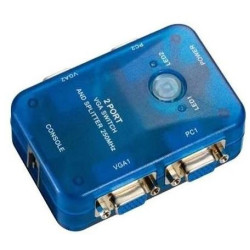
MT-Viki MT-202S 2 IN 2 OUT VGA Switch and Splitter

Manhattan VGA Monitor Splitter For 2 Monitor

MT-Viki MT-460KL 4 Port manual VGA USB KVM Switch

Unbranded 8 Way Serial Port Splitter

Unbranded KVM 4 port Switch Auto Including 2x Cables PS2

MT-Viki MT-SW041-V 4 PORT VGA Multiviewer

Unitek V1309a 4K HDMI 4 port USB 3.0 5Gbps KVM Switch

Unitek V1310A 8K DisplayPort 4 port USB 3.0 5Gbps KVM Switch
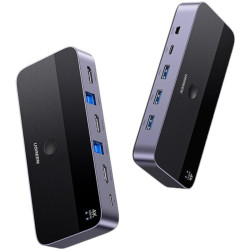
UGreen CM664-15707 4K@60Hz HDMI KVM Switch (2 in 1 out) - Grey
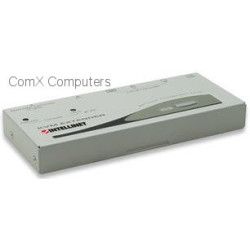
Intellinet KVM Extend up to 150 m (450 feet)

Rextron 2 Port USB KVM Switch with cables

Unitek USB-C 10Gbps HDMI KVM Switch

Lenkeng Lkv372kvm-p 70m 1080p @60hz Zero-latency Uncompressed HDMI Hdr Kvm Extender With Poc

Aten CS22DP 2-Port USB DisplayPort Cable KVM Switch with Remote Port Selector

Rextron 4 Port USB KVM Switch with cables

Club 3D CSV-1382 2 Port HDMI KVM Switch + audio + USB Hub - 4K 60Hz

Microworld KVM IP extender 200m
KVM Switches & Cables
KVM switches and cables allow you to control multiple computers using a single keyboard, monitor, and mouse. KVM stands for Keyboard, Video, and Mouse, and these devices are widely used in offices, server rooms, IT environments, and home setups to reduce clutter and improve productivity.
With a KVM switch, you can instantly switch between two or more PCs, servers, or laptops without unplugging peripherals. KVM cables connect the switch to each computer and support various video and USB interfaces.
Types of KVM Switches
- 2-Port and 4-Port KVM Switches: Control multiple PCs from one console
- USB KVM Switches: Support USB keyboards, mice, and peripherals
- HDMI / DisplayPort / VGA KVM Switches: Different video interface options
- Rackmount KVM Switches: Designed for data centres and server racks
- Remote / IP KVM: Allows control over a network or internet
KVM Cables
KVM cables connect each computer to the KVM switch and typically include USB, video (HDMI, VGA, or DisplayPort), and sometimes audio connections. Some modern KVM switches use separate standard cables, while older models use integrated combo cables.
Key Features
- Control multiple computers with one keyboard, mouse, and monitor
- Push-button, keyboard hotkey, or remote switching
- Supports high-resolution displays (Full HD, 4K, and beyond on modern models)
- USB peripheral sharing such as printers and storage devices
- Reduces desk clutter and hardware costs
Common Use Cases
- IT administrators managing multiple servers
- Office users working with multiple PCs
- Developers and testers using multiple systems
- Home users with dual-PC gaming or streaming setups
- Data centres and server rooms
Choosing the Right KVM Switch
- Check the number of computers you need to control (2, 4, 8, or more ports)
- Match the video interface (HDMI, DisplayPort, VGA)
- Ensure USB support for keyboard and mouse
- Consider resolution support (1080p, 4K, etc.)
- Look for hotkey switching and remote control options
FAQ
What does KVM stand for?
KVM stands for Keyboard, Video, and Mouse. A KVM switch lets you control multiple computers with one set of peripherals.
Do KVM switches affect performance?
Most modern KVM switches do not affect system performance. High-end models support full resolution and fast USB response.
Can I use a KVM switch for gaming?
Yes, especially HDMI or DisplayPort KVM switches with low latency and high refresh rate support.