
Video capture & editing hardware

Microworld USB Audio / Video Capture RCA / S-Video
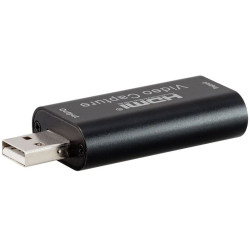
LinkQnet 4K HDMI to USB 1080p capture

Manhattan PC-TV Converter

J5-Create JVA01 Video Capture USB Hub

NearStream CCD10 Ultra Low Latency USB 3.0 Capture Card for xbox, ps5, switch, DSLR camera
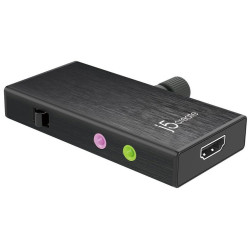
J5create JVA02 Live Capture UVC HDMI to USB Video Capture
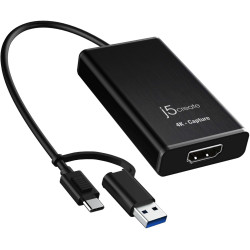
J5create JVA11 4K HDMI Video capture Adapter
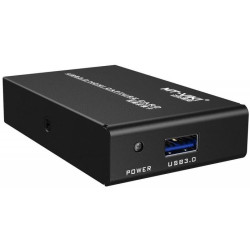
MT-Viki MT-UHV30 USB3.0 HDMI Capture Card

Elgato CAM Link 4K 10GAM9901 HDMI connection to USB 3.0 convertor

J5-Create JVA14 4K Game Capture Station

Aten Camlive HDMI to USB-C UVC Video capture with PD3.0 Power Pass-Through
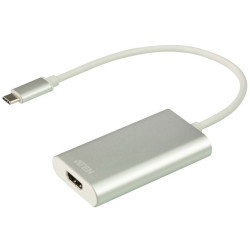
Aten CAMLIVE (HDMI to USB-C UVC Video Capture)

J5create JVA04 HDMI to USB Type-C Game Capture Station

J5-Create JVA06 Dual HDMI Video Capture

Elgato Stream Deck Plus

Elgato Game Capture 4K X External USB capture card

Elgato Game Capture 4K Pro 8K60 Passthrough 4K60 Capture

Corsair / elgato 1GC109901002 HD60 Pro internal pci-e (x1) game capture for instant streaming or recording

Corsair / elgato 1GC109901004 HD60 S External Game Capture for instant streaming or recording

Corsair / Elgato 10GAS9901 HD60 Pro 4K (4K60 Pro MK2) Internal pci-e (x1) game capture for instant streaming or recording

Corsair Elgato HD60 S Plus 4K External Game Capture
Video Capture and Editing Hardware
Video capture and editing hardware makes it easy to record, convert and edit video from a wide range of sources. Whether you are creating online content, preserving older recordings, recording presentations, capturing gameplay or digitising analogue video, dedicated capture devices provide a reliable way to transfer video into digital formats for editing, sharing and long-term storage.
While screen recording typically requires only software, capturing video from external devices such as cameras, media players or gaming consoles requires dedicated video capture hardware. Once captured, videos can be edited, enhanced and exported in formats suitable for streaming, archiving, business presentations, education and social media.
Key Benefits
- Capture video from compatible external video sources.
- Convert analogue and digital video into modern digital formats.
- Record gameplay using dedicated hardware without significantly affecting gaming performance.
- Create high-quality videos for streaming, editing and sharing.
- Preserve valuable recordings for long-term storage.
- Record audio and video simultaneously.
- Improve workflow for video production and editing.
- Suitable for beginners, enthusiasts and professional users.
Typical Features
Video capture and editing hardware is available in a variety of formats to support different recording requirements. Depending on the model, features may include:
- USB or PCI Express connectivity.
- Support for HD and Ultra HD video capture.
- HDMI and other common video input connections.
- Real-time video preview during recording.
- Low-latency capture for smoother workflows.
- Hardware video encoding for improved performance.
- Support for multiple video resolutions and frame rates.
- Compatibility with popular video editing and streaming applications.
Common Applications
Video capture hardware is used in many personal and professional environments, including:
- Recording gameplay for streaming and video creation.
- Capturing video from cameras and compatible external devices.
- Digitising older video collections.
- Creating online tutorials and educational content.
- Recording webinars, meetings and presentations.
- Producing marketing and promotional videos.
- Editing home videos and multimedia projects.
- Archiving important video content for future use.
How Video Can Be Captured
Different recording methods are available depending on the source of the video:
- Recording your computer screen generally requires only screen capture software.
- Capturing video from external devices requires dedicated video capture hardware.
- Recording gameplay is best performed using dedicated game capture hardware to minimise any impact on gaming performance.
Where Captured Video Can Be Saved
Captured video can typically be stored in several convenient locations depending on your recording setup and available storage capacity.
- Internal desktop or laptop storage.
- External hard drives or solid-state drives.
- USB flash drives and other removable storage media.
- Network storage where supported.
- Directly onto supported recording devices with built-in storage.
Buying Guide
Before choosing video capture hardware, determine the type of video source you intend to record. Screen recording normally requires software only, while recording from external devices requires a compatible capture device. For gaming, dedicated capture hardware delivers smoother recording with minimal interruption to gameplay.
Consider supported video resolutions, frame rates, connection types, operating system compatibility and supported editing software. If you regularly work with large video files, ensure you also have sufficient high-speed storage available for recording and editing.
Why Buy From Us
We offer a carefully selected range of video capture and editing hardware suitable for home users, businesses, educators, gamers and professional content creators. Our products are chosen for reliability, compatibility and performance, helping you capture, edit and preserve video with confidence. Combined with competitive pricing, dependable service and knowledgeable support, we make it easy to find the right solution for your recording needs.
Frequently Asked Questions
What is video capture hardware?
Video capture hardware converts video from compatible external devices into digital files that can be recorded, edited, streamed or archived.
Do I need hardware to record my computer screen?
No. Screen recording is normally performed using screen capture software. Dedicated hardware is generally required only when recording external video sources.
Can I capture gameplay without affecting game performance?
Dedicated game capture devices are designed to record gameplay while reducing the impact on the gaming system, providing a smoother recording experience.
Where can captured videos be saved?
Videos can typically be saved to internal drives, external storage devices, USB flash drives, network storage or compatible recording devices with built-in storage.
Can I edit captured videos?
Yes. Captured videos can be imported into compatible editing software for trimming, colour correction, adding effects, audio editing and exporting in different formats.
Who uses video capture hardware?
Video capture hardware is widely used by gamers, content creators, educators, businesses, media professionals and anyone needing to record or preserve video from external sources.